Key Takeaways
- Share audio with two sets of AirPods on Apple TV 4K so you don’t have to play sound out loud.
- It’s an easy setup process for syncing AirPods with Apple TV, so there’s no excuse to wake up the rest of the house.
- The same feature can be used on iPhone and iPad for shared audio.
Watching a movie late at night is a nice treat from time to time, but you don’t want to wake up the entire house doing it every night. If you have an Apple TV 4K, there’s a nifty feature that lets you and another person watch movies without making a noise — out loud, at least.
It requires you to have two sets of Apple AirPods to pair with your Apple TV 4K. What you have to do is connect your AirPods to the device, something you may have already done in the past. The Apple TV 4K has loads of tricks up its sleeves, including one that makes sure you never miss dialogue again.

Apple TV 4K (2022)
- Brand
- Apple
- Bluetooth codecs
- 5.0
- Wi-Fi
- 6
What sets this feature apart is the ability to share audio with two sets of AirPods. You and your partner can sit on the couch wearing your own set of AirPods while still listening to the same audio synced up perfectly. You might be familiar with the process if you’re deep in the Apple ecosystem already, but you might not have been aware you could set this up on your Apple TV 4K. I was just as shocked to learn it was possible and even more so how easy it is to set up.

Related
5 helpful Apple TV tricks every tvOS user should try
If you’re an Apple TV user, taking advantage of these features is essential to get the most of out of your watch time.
How to share your Apple TV 4K audio with two sets of AirPods
Follow these simple steps
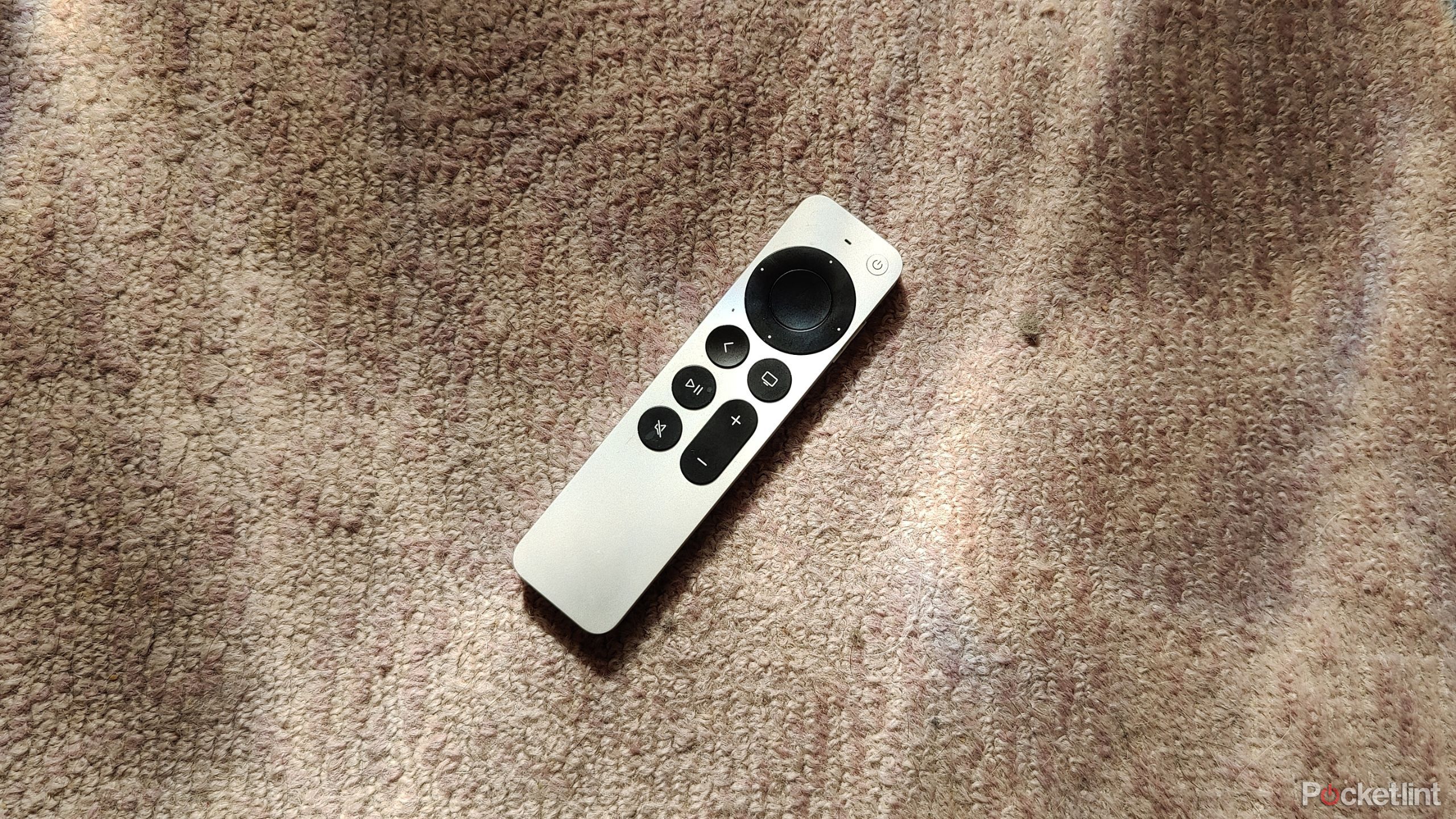
The process of setting up AirPods on your Apple TV 4K couldn’t be any easier. Here’s what you need to do:
- Hold down the TV icon on your Apple TV remote.
- Select the AirPods tab.
- Pick Share Audio, and follow the on-screen instructions to set them up.
This syncs up two sets of AirPods, so all you have to do is turn them both on to listen to what’s coming from your TV.
Your Apple TV 4K needs to be running tvOS 17 or later, which shouldn’t be much of an issue as long as you’ve been keeping up with the system updates.

Related
4 free Apple TV channels you’ll actually want to watch
If you have Apple TV, your streaming world just got wider. Here are 4 free channels I love watching.
This underrated feature is a life-saver for anybody trying to watch something late at night without having to sacrifice volume or general watch experience. Keep in mind this applies to just your TV volume, so if you let out a gasp while watching a scary movie, everybody will still hear that.
It’s useful for more than just watching TV — it applies to anything you’re doing on your Apple TV 4K. This includes listening to music, watching YouTube videos, or catching up on a podcast. You can do this same thing with Beats headphones, so you’re just limited to the Apple ecosystem.
It works on more than just your Apple TV 4K
Take advantage of this on other devices

If the Apple TV 4K isn’t your only Apple accessory, you can take advantage of this audio-sharing feature on more than just your streaming device. It works on your iPhone in the same exact way, so if you want to listen to or watch something on your phone or iPad, you can follow the same basic steps. While you might not want to watch an entire movie on a small iPhone screen, it’s nice if you want to share your music with a friend out in public.
Each person has complete control over their volume.
While the audio is synced up, each person has complete control over their volume. This means turning your volume up or down won’t affect the other person’s listening at all. When the time comes to unsync the audio, just follow the same steps to untick the headphones and go about your business.
While this is a niche feature, it’s something I can see coming in handy whenever — and wherever — I want to make less noise. Currently, I don’t have many scenarios where that’s a problem for me, but you might have a totally different situation than me where it’s useful all the time. If that’s the case, it’s nice to know it’s easy to connect and disconnect AirPods as you please, so it’s not a long process that requires many steps over and over again.
4:47

Related
Which AirPods should you get? Let me help you choose
All the way from the 3rd-gen AirPods to the AirPods Max, there’s a pair of Apple AirPods out there that are the best for you.
Trending Products

LG UltraGear QHD 27-Inch Gaming Monitor 27GL83A-B – IPS 1ms (GtG), with HDR 10 Compatibility, NVIDIA G-SYNC, and AMD FreeSync, 144Hz, Black


Acer Nitro 27″ WQHD 2560 x 1440 PC Gaming IPS Monitor | AMD FreeSync Premium Up to 180Hz Refresh 0.5ms DCI-P3 95% 1 Display Port 1.2 & 2 HDMI 2.0 XV271U M3bmiiprx,Black



Lenovo 15.6″ FHD Laptop, Intel Pentium N6000 Quad-core Processor, 16GB Memory, 1TB SSD Storage, Ethernet Port, HDMI, USB-C, WiFi & Bluetooth, Windows 11 Home, WOWPC USB Bundle